
“BACnet/SC connectivity” does not translate into a firewall rule by itself. What your network team can approve is a set of named outbound sessions — and getting those names and lanes right is the whole job.
This guide is that translation for HUBaaS, Hexomation’s managed BACnet/SC hub service: which sessions leave the site, which endpoints they hit, what can quietly break them, and the rule shape to hand your network/security owner. It is written for the OT/IT engineer who owns both the request form and the resulting policy.
Where HUBaaS fits
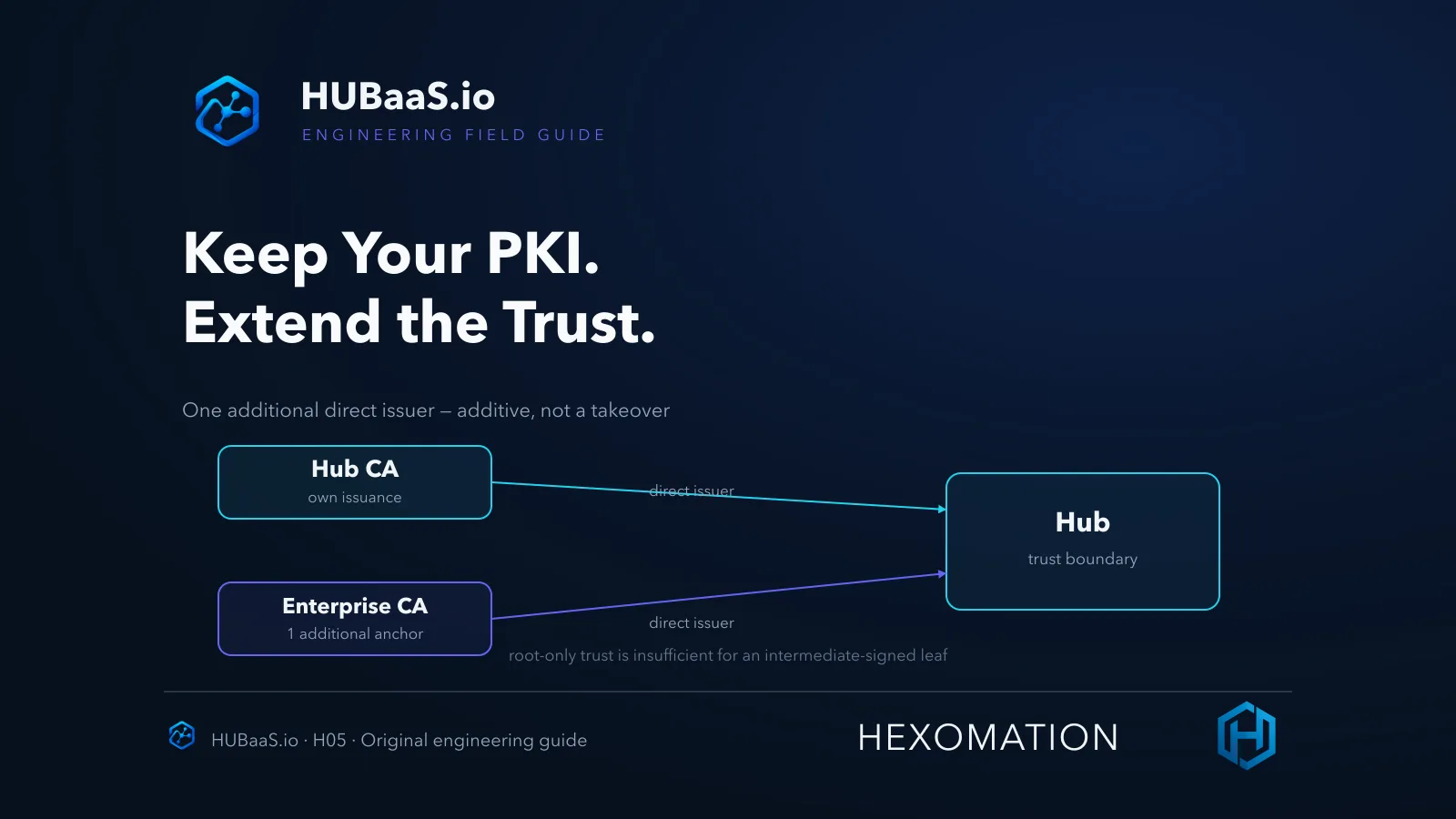
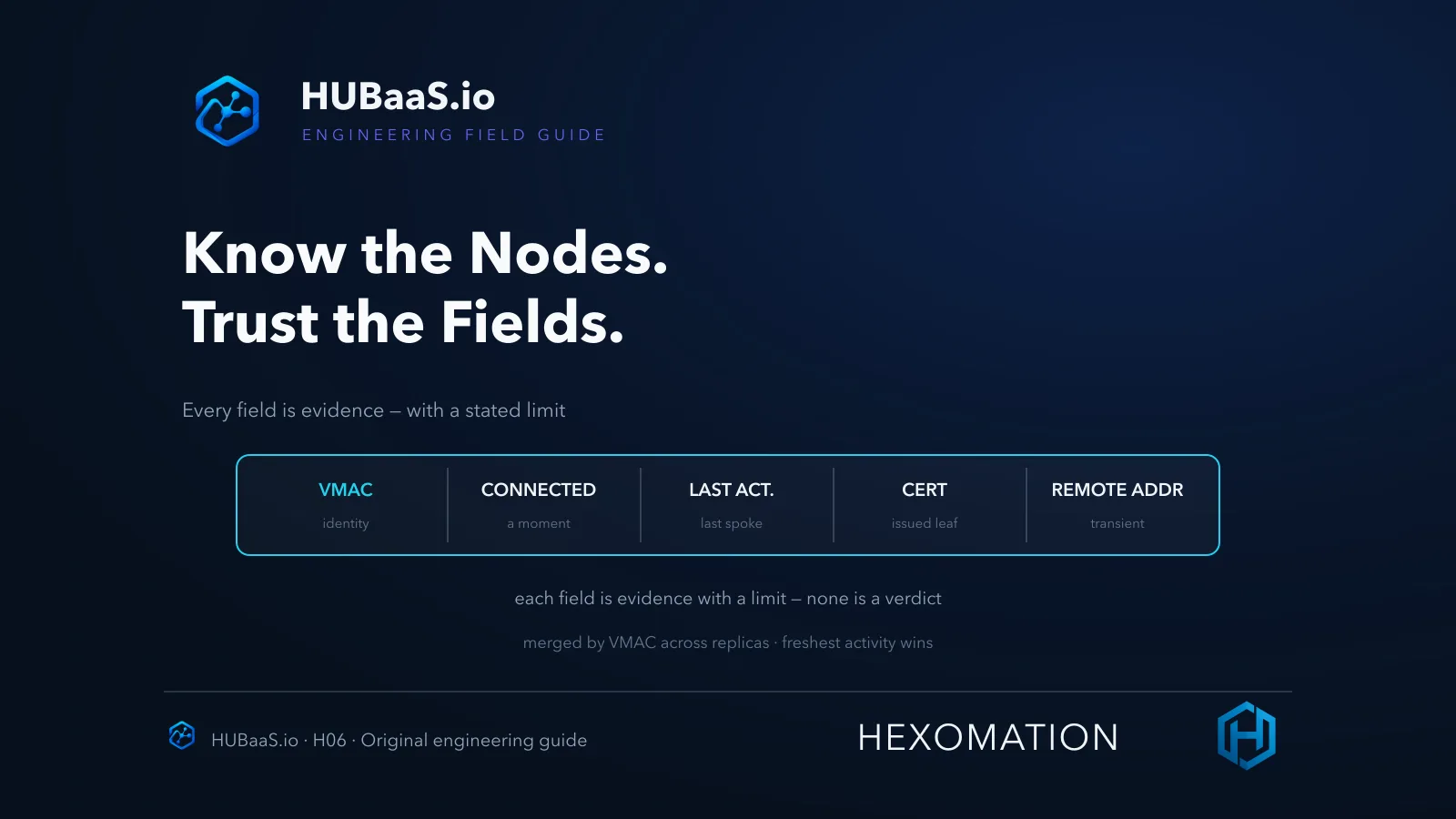
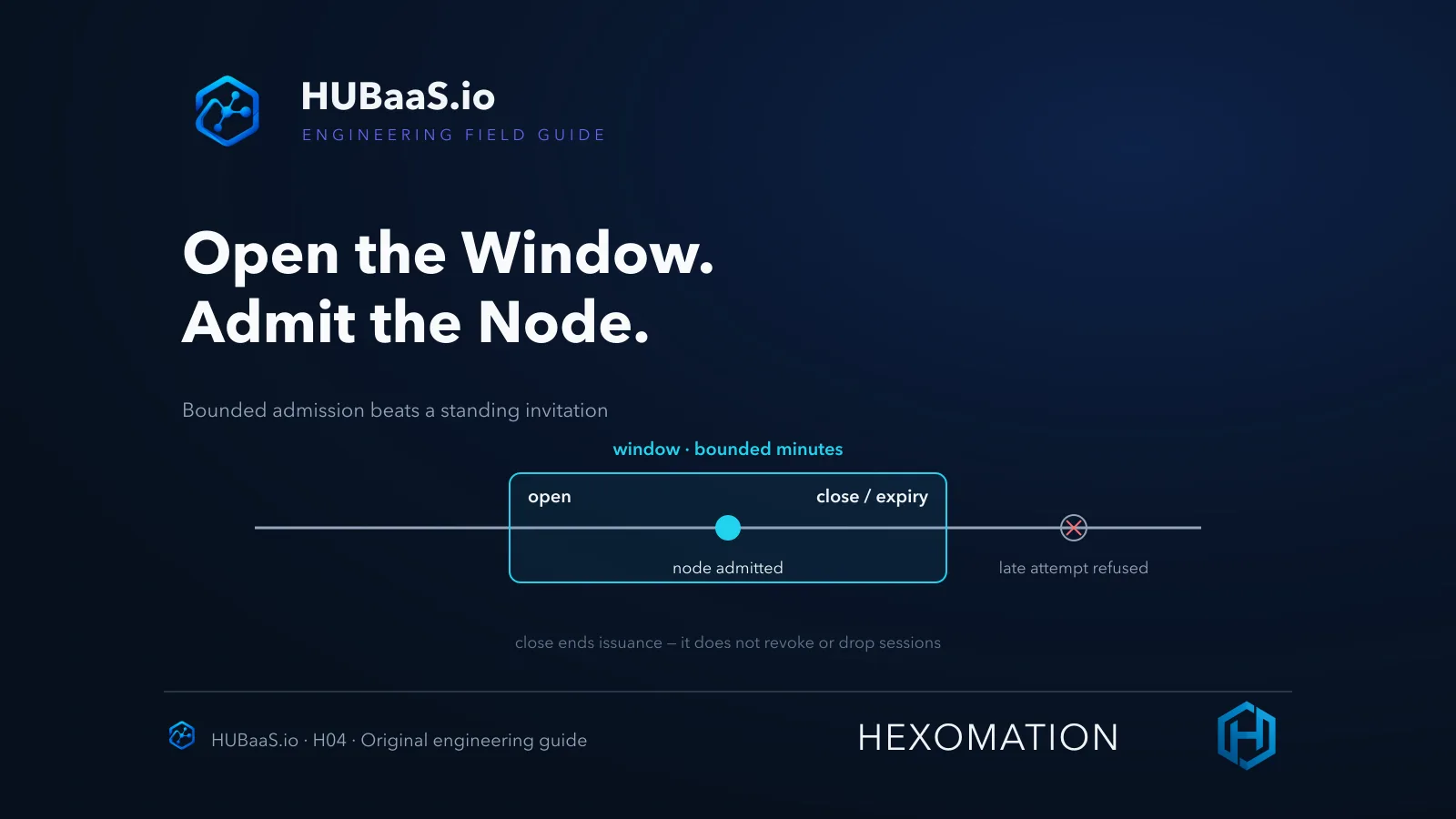
HUBaaS is the managed-hub side of Hexomation’s BACnet/SC platform: a per-site cloud hub with a per-hub certificate authority, EST enrollment windows, enterprise-CA trust options, a connected-node inventory, and node lifecycle control — a disconnect drops a current session, while revocation uses the CRL to exclude that certificate. The service is BACnet/SC only — it has no native Modbus, BACnet/IP, MS/TP, or LonWorks field interfaces — and supervision can come from an optional hosted supervisory node, or your own customer-operated supervisor, depending on plan and entitlement.
Per site, the model supports one primary hub, an optional warm standby, and an optional hosted supervisory node. The site-to-service destinations in this guide are the hub, its separate EST service, and standby when enabled; feature availability follows the product plan and version. The connectivity lanes described below are the managed-hub pattern, not a universal SC guarantee for every third-party hub deployment.
The optional hosted supervisory node — not the hub itself — can provide SC device discovery, point monitoring, equipment groups, trends, alarms, notifications and schedules where entitled. Customer-operated supervision remains valid. Organization roles, audit visibility, plan limits and billing support service governance; a shared sign-in does not merge the separate product tenants.
The path is outbound, on purpose
BACnet/SC is node-initiated for this pattern: each SC node on your site opens a WebSocket session out to the managed hub and keeps it. From the firewall’s perspective that is outbound TLS traffic with a WebSocket upgrade — no inbound listener is required for these hub sessions, no port-forward to approve, and no hole punched toward the field segment for this service.
The qualifier matters: this describes the node-to-managed-hub client pattern. Other SC deployments — direct peer links, customer-operated hubs, or anything else on the site — have their own rules and are out of scope. And an outbound-only session still has a listening side: the provider’s hub accepts those inbound sessions on its own endpoints.
The architectural benefit is real — no inbound site listener is introduced for these hub sessions — but keep the honest boundary: it is a property of the managed-hub design, not a claim that no site ever needs inbound access, and not an elimination case for VPNs or local hubs where policy or other services require them.
Name the actual endpoints, not a class of traffic
A managed HUBaaS deployment gives you concrete hostnames, and they are the ones to write into your firewall request. Each site’s console shows the exact provisioned endpoints; use those values, not a guessed pattern — they are provisioned per deployment.
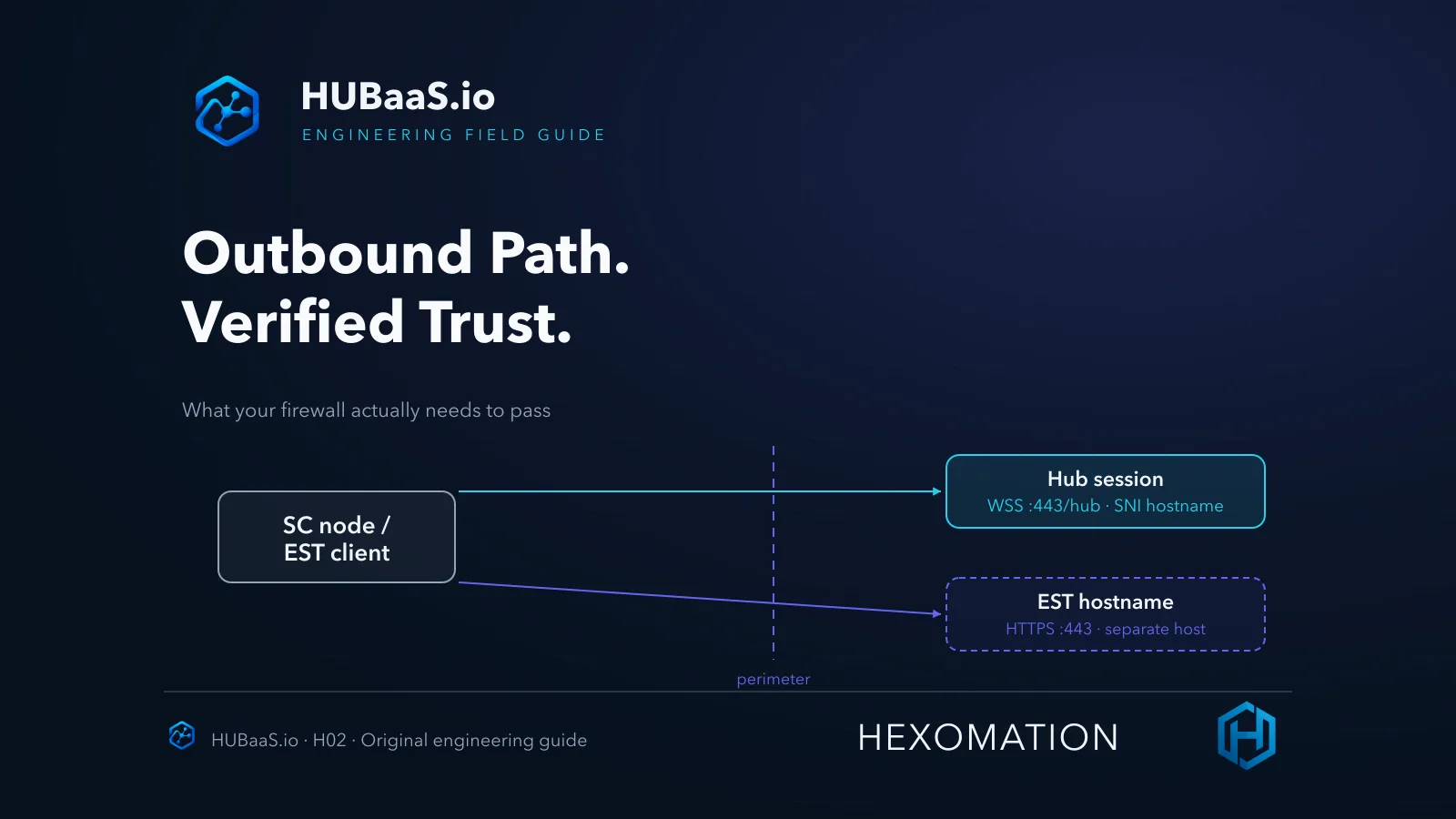
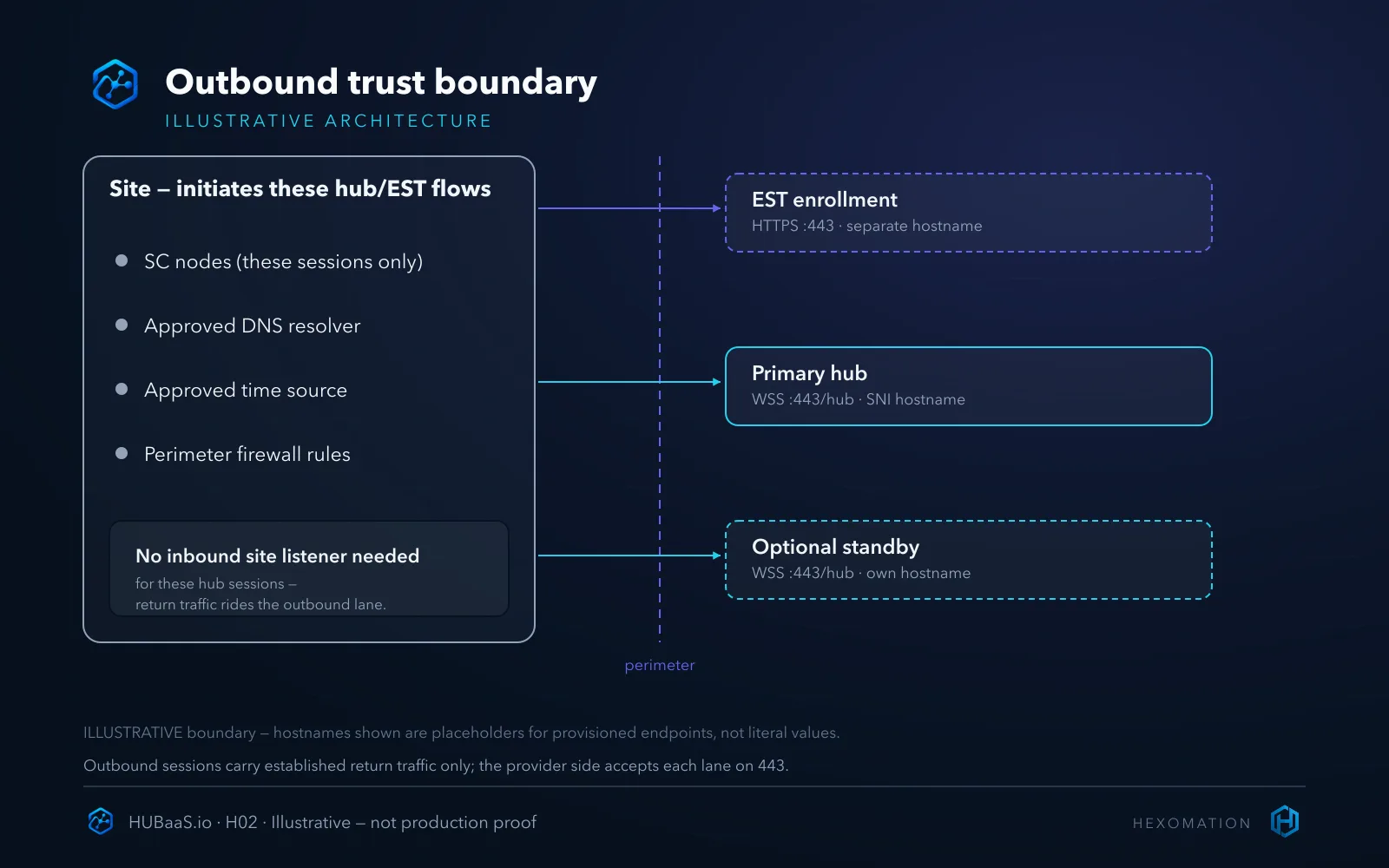
There are up to three distinct destinations. The primary hub serves the persistent WebSocket session — a WSS URI that carries :443 explicitly and terminates on a hub path (/hub), not a bare host. An optional standby is a separate hostname with its own WSS :443 session — it needs its own rule, not an assumption that it shares the primary’s address. And the EST endpoint is a different hostname again, serving enrollment and certificate renewal over HTTPS :443 on its own path.
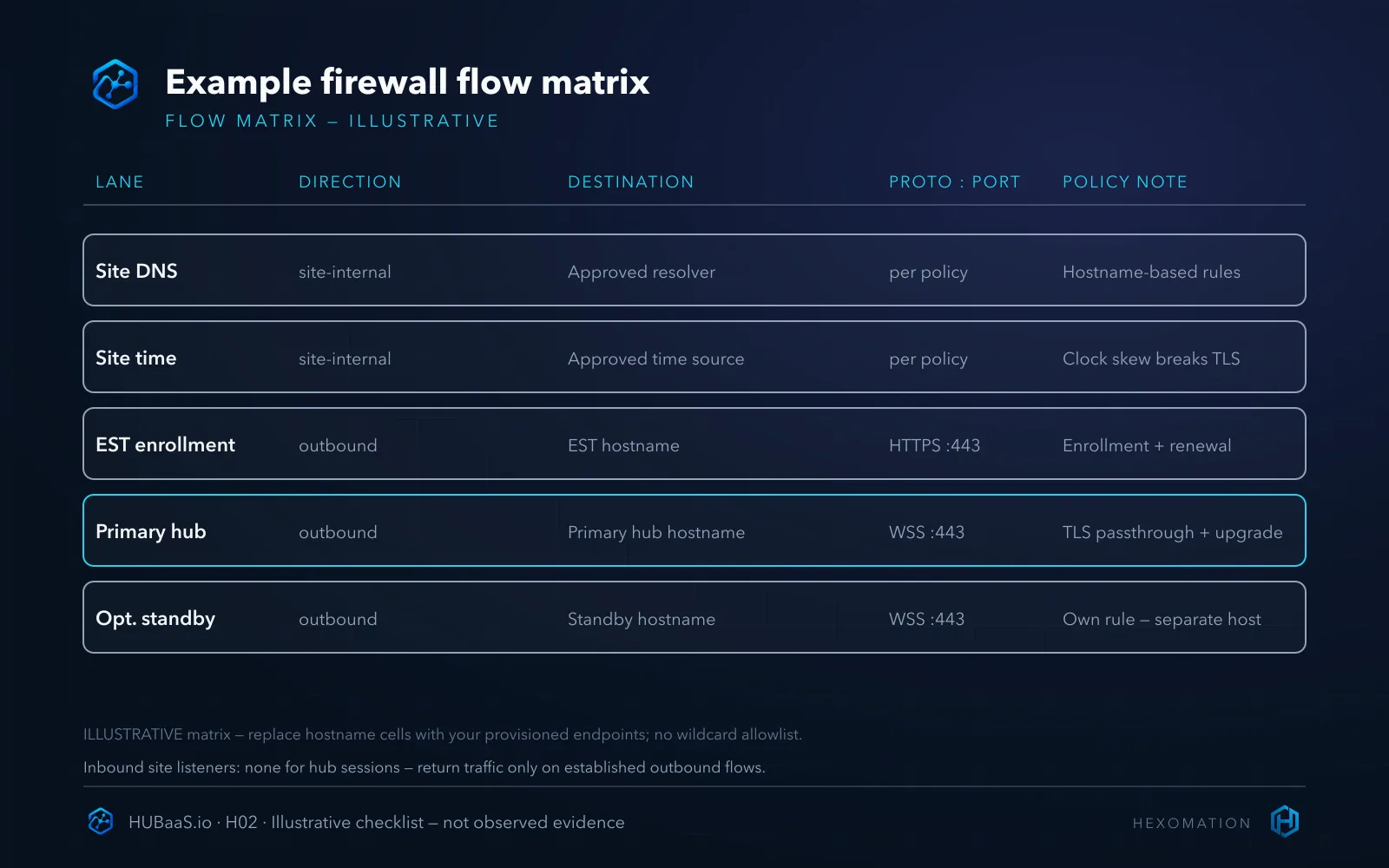
Three hostnames, three rules — or at minimum three entries. Collapsing them into “allow 443 to the vendor” is how a standby failover fails silently or a renewal stalls because EST was never in the allowlist. Write each down by its provisioned hostname — and if your firewall platform supports FQDN objects, use them: a hostname-scoped rule is both tighter and more durable than a bare “any-HTTPS-to-vendor-range” entry.
Port 443 is necessary, not sufficient
The most common firewall mistake is reading “443” as “done.” The hub session needs the full chain: resolution of the provisioned hostname, outbound TCP 443, TLS with certificate validation intact, a successful WebSocket upgrade, the SC subprotocol (hub.bsc.bacnet.org) negotiated, and only then the SC application join.
Two details in that chain deserve emphasis. First, it is mutual TLS — the node presents a certificate of its own, and the trust model follows the device vendor’s SC certificate-validation design, not an assumption that operational certs carry ordinary web-PKI DNS SANs. Second, the WebSocket upgrade is a negotiated HTTP exchange, not just a port: a rule that passes the TCP handshake can still drop the upgrade, and a middlebox that normalizes the request can quietly break the subprotocol. Neither shows up in a port scan.
The upgrade is where filters bite
A TLS-pass-through firewall cannot selectively rewrite encrypted WebSocket upgrade headers. However, a policy device may reject a long-lived encrypted session, a client may encounter an unsupported proxy path, or a TLS-terminating intermediary may prevent the end-to-end mutual-TLS exchange. Distinguish those cases before changing rules; a successful TCP handshake alone does not identify which one occurred.
So write the requirement as the full path: outbound WSS on 443 to the provisioned hub hostname, end-to-end encrypted with the upgrade intact — and if your environment has an approved compatible proxy arrangement, scope it to that named endpoint rather than widening the rule. If the proxy can’t preserve the path requirements, it isn’t compatible with the session, no matter how many other services work through it.
SNI and hostnames are load-bearing
The managed endpoints are routed by hostname. TLS Server Name Indication carries the provisioned name through shared infrastructure to the right hub — replace the hostname inside the node’s configured URI with a raw IP and the connection may reach a front door that cannot tell which deployment you belong to, or refuses the session outright.
On the firewall side, an FQDN object is the preferred form — the IP behind a provisioned hostname is provider infrastructure that can legitimately change. An IP-based rule is still a valid choice if the provider approves and maintains it; what is not optional is keeping the hostname inside the node’s URI for SNI, regardless of how the firewall rule itself is expressed.
DNS and time follow the same rule: they are site infrastructure requirements, not universal egress exceptions. The node’s resolver must resolve the provisioned names — whether through an approved internal resolver or your existing approved path — and clock skew breaks certificate validation, so time sync comes from your approved source. Neither is a license for a blanket external rule.
EST is a separate lane
Enrollment is not part of the persistent hub session. Certificate enrollment and renewal run over EST — a distinct HTTPS workflow on a different hostname, port 443, its own path. Different traffic, different schedule, different purpose.
Design the rule set as two lanes: the persistent hub WSS session, and the periodic EST HTTPS enrollment. An environment that allows the hub lane but blocks EST will connect happily — if the node is already enrolled — and then fail on its first renewal; a node that was never enrolled fails immediately at enrollment. If your deployment includes the optional standby hub, treat it as a third lane: a separate hostname and session, not a copy of the primary’s rule.
The trust-boundary diagram below shows the split precisely: the site initiates everything; the provider accepts each lane on a named endpoint.
TLS inspection is a policy conversation, not a workaround
Mutual TLS and TLS-inspecting middleboxes do not get along. An inspection device that terminates TLS in the middle cannot present the node’s client certificate, so the hub sees a session that fails validation — correctly, from its perspective. A middlebox that passes TLS untouched cannot inspect the upgrade headers either; there is no inspect-but-don’t-terminate option on this path.
If your environment inspects outbound TLS, the SC endpoints need an inspection exception, and that exception is a decision for your network/security owner — not something to slip past them. State the requirement as: end-to-end encrypted WebSocket, unmodified, for these named hosts. If a compatible approved proxy arrangement exists in your environment, scope it per approved requirements rather than assuming any proxy works.
Two older troubleshooting habits stay out of your runbook: disabling hostname or certificate verification on the client, and test commands that skip checks (the -k flag on a curl is the classic example). Both “work” by removing exactly the protection mutual TLS provides — a session that connects by trusting whatever it receives is not proof of connectivity; it is proof of a hole.
Test each endpoint on its own lane
A reasonable acceptance sequence, per lane: for the hub sessions, resolve the provisioned hostname, confirm outbound TCP 443 completes, verify the TLS handshake validates the expected chain, confirm the WebSocket upgrade and SC subprotocol negotiate, and then verify the node actually joins. For EST, the sequence is an HTTPS enrollment or renewal against its own hostname — a different workflow, not a WebSocket test.
Do not collapse the lanes into one pass. Success on the primary hub tells you nothing about the standby hostname or the EST endpoint — each has its own rule and its own failure surface, and a matrix that proves one row leaves the others untested.
When a session fails, work the chain in order — resolution, TCP, TLS, upgrade, subprotocol, join — because each failure blocks every later step and masquerades as the final one. A TLS abort means the upgrade never happened; an upgrade refusal means the subprotocol never negotiated. Chasing the join error without checking the earlier links burns the same hours on every deployment.
Write the request as lanes, not a port
The matrix below is what your approved rule request should eventually resemble: hostname-scoped lanes, each direction and purpose explicit, and no catch-all that makes the named endpoints meaningless.
Where this fits in HUBaaS
The outcome is a field network that stays supervised without inbound reachability for the hub service — a meaningful reduction in exposed surface for buildings on shared or hostile networks. The managed side operates the hub and enrollment; the supervision choice — hosted node or your own supervisor — remains yours.
Keep the honest caveats attached: this is BACnet/SC only. Legacy BACnet/IP, MS/TP, Modbus, or LonWorks segments do not become encrypted or firewall-friendly by proximity — they keep their own requirements and may still need local equipment or different connectivity. And if your policy requires remote access through a managed VPN or a self-operated hub, that is a valid architecture — this guide describes the managed-hub path, not a mandate for it.
One more habit worth breaking: the wildcard allowlist “to be safe.” It defeats the entire point of naming endpoints, and it is the first thing a reviewer will push back on. If you are evaluating where a managed hub sits in your architecture at all, the companion piece on what a managed SC hub actually operates covers the responsibility split this connectivity design sits inside.
Plan the rules before you need them
The pattern to take to your firewall team: outbound-only, named endpoints, per-lane rules, TLS passthrough and the WebSocket path preserved. Get the provisioned hostnames from your site’s console entries — they are per deployment, and the hypothetical names here are deliberately not literal.
Two rules for a clean implementation: keep the exception surface exactly as narrow as the hostnames make it, and never let a working test justify weakening validation. To review managed-hub connectivity for your sites, see the capability overview at HUBaaS.io. Follow-on guides cover per-hub CA and EST enrollment, enrollment windows, and standby failover in more depth.