
Running a BACnet/SC hub yourself means owning a small but unforgiving piece of infrastructure: a Secure Connect endpoint on the data path your nodes rely on, backed by a certificate authority, an enrollment service, and a failover story you design, patch, and babysit. For an integrator juggling several sites, that hub VM quietly becomes another production system to maintain.
HUBaaS offers a different division of labor: Hexomation operates the hub runtime as a managed service, while you keep ownership of the network, the nodes, and the supervisory decisions. This guide explains what a managed per-site hub actually runs for you, how to provision one and read its state correctly, and where the service boundary honestly sits — because “managed” is only useful when everyone agrees on what it does not cover.
What the managed hub does
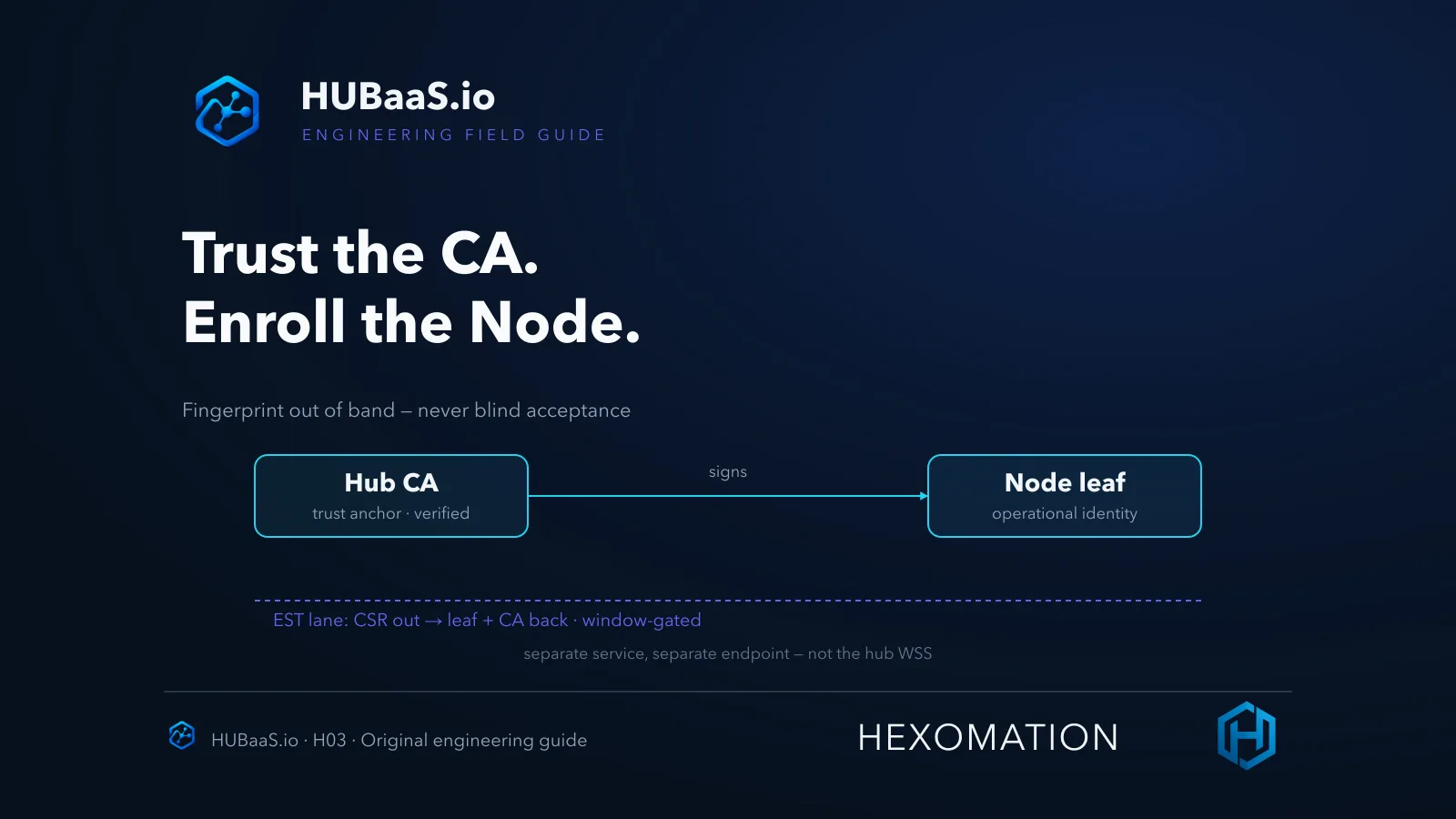
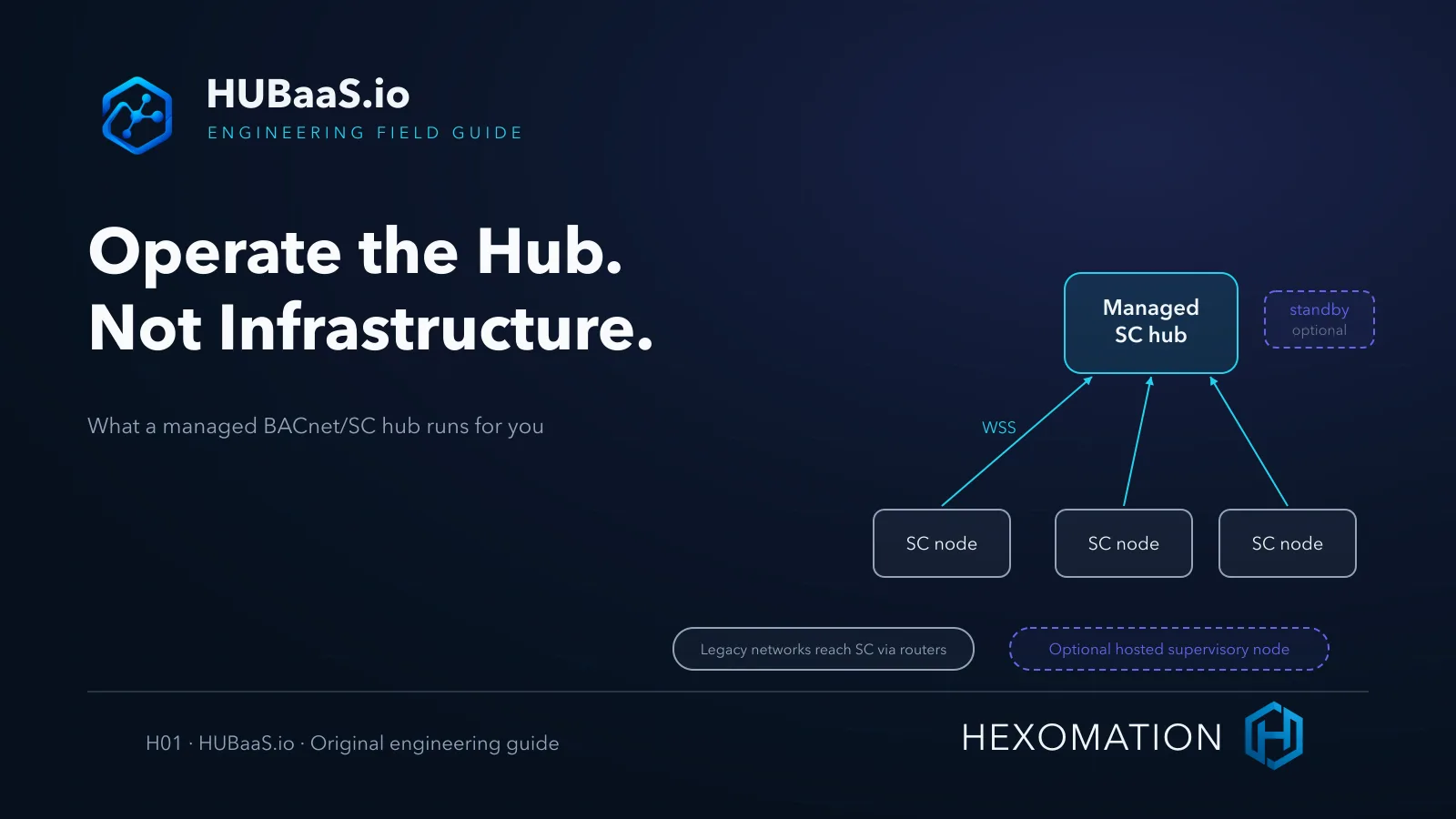
A BACnet/SC hub is a session router. It terminates Secure Connect web-socket sessions from nodes, authenticates them against the hub’s trust configuration, and relays their BACnet traffic between connected participants. The managed service takes over the undifferentiated work of keeping that runtime available: provisioning the hub per site, operating its certificate authority and EST enrollment endpoint, and offering an optional warm standby.
What the hub does not do
Just as important is what the hub never does. It does not collect building points, trends, or alarms, and it does not supervise anything. Supervision is a separate role — an optional hosted supervisory node, an existing supervisor you already operate, or a BAaaS edge gateway joining as an ordinary third-party SC node under its own separate tenant. The hub is SC plumbing; telemetry lives elsewhere by design.
And SC plumbing is all it is: the service is BACnet/SC only. There is no native Modbus, BACnet/IP, MS/TP, or LonWorks field interface inside a managed hub. Legacy devices reach SC through compatible external routers you still own — “no on-premises hub” does not mean no on-premises hardware, controllers, or network duties.
The desired-state model also shapes day two. Provisioning and configuration changes — enabling a standby, rotating an enrollment credential, adjusting enrollment posture — land as intent first and converge on the runtime next. That indirection is what lets the service heal and reconfigure itself, and it is why operational runbooks should always check reported state rather than assume a click already happened.
Provision a site and read the states correctly
Provisioning starts in the console: create the site, request a primary hub, and submit the desired-state configuration. The API returns an acceptance response for a new provision — but acceptance is not readiness. An asynchronous reconciler then builds out the hub and moves its state toward active. Treat “accepted” as “the order was received,” not “the hub is serving nodes.”
Sites hold one primary hub each; a standby and a hosted node are separate optional slots gated by your plan, not parts you can multiply ad hoc. Some configuration changes, including enrollment-credential rotation or trust updates, restart the hub runtime and can cause brief reconnects. Standby also requires the correct failover URI on participating nodes; entitlement alone does not configure the clients.
The practical rule: verify the runtime state before you point a node at it. Read the hub’s reported status in the console, confirm the endpoints that were actually provisioned for your site, and only then configure a test node. Before commissioning production nodes, join a known test node and confirm it appears connected — that verification is yours to run, not something the managed service performs on your behalf.
Endpoints you will actually configure
Each site’s hub exposes a small set of endpoints. As placeholders — the real hostnames come from your environment and provisioning output — they look like <slug>.hubaas.io for the hub’s secure web-socket URI, <slug>-est.hubaas.io for EST enrollment, and an optional <slug>-standby.hubaas.io when the site is entitled to a warm standby. Copy the concrete values from your provisioned site rather than guessing from a pattern.
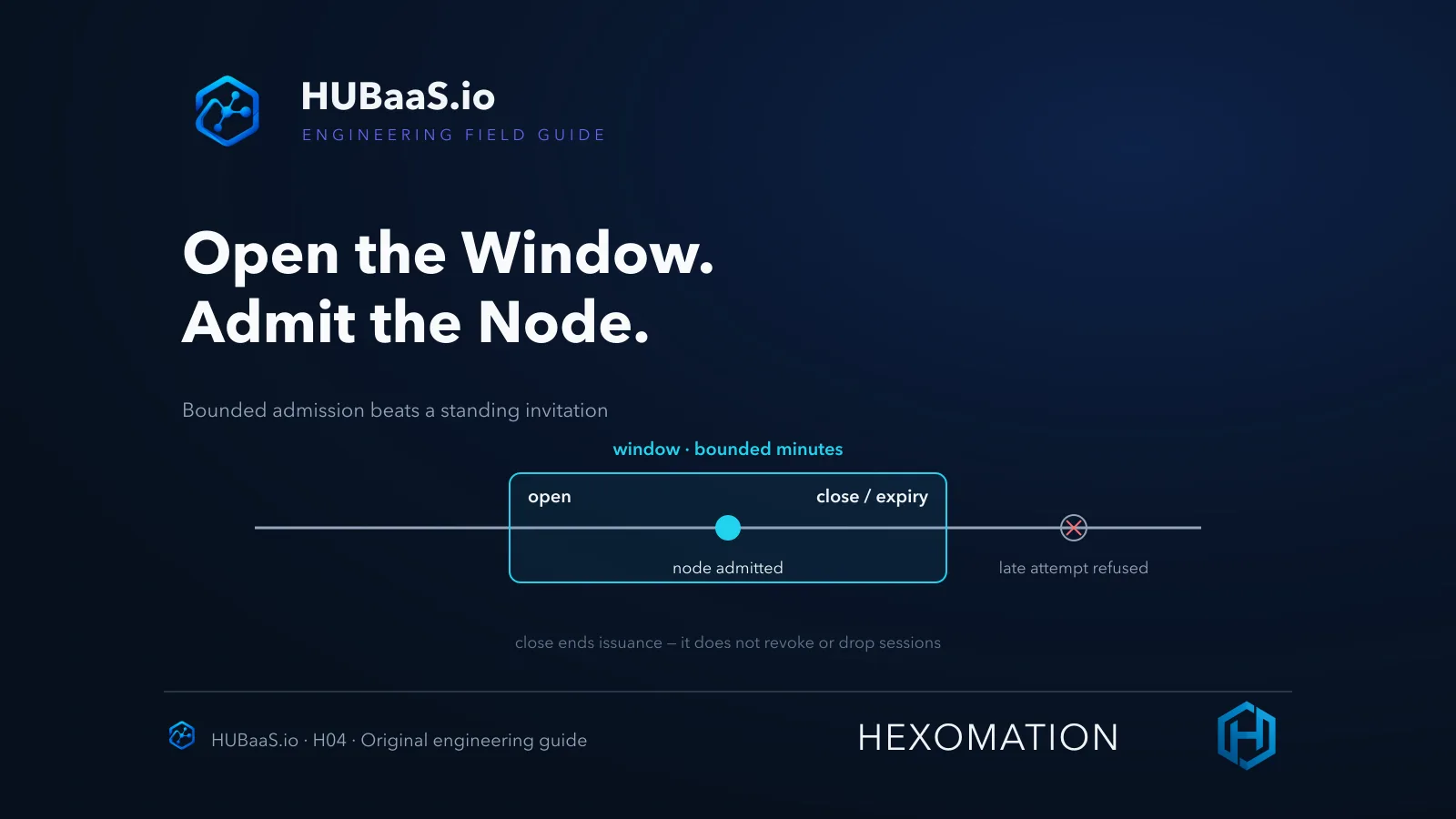
Those endpoints map to distinct trust surfaces. The hub URI carries node sessions over TLS; the EST endpoint issues operational certificates during enrollment windows; the standby, when present, is a separate failover endpoint your nodes must be configured to reach. Keeping the roles straight matters when you plan firewall rules, certificate fingerprints, and failover configuration.
One configuration habit protects all of it: keep hostnames as hostnames. Secure Connect routing relies on SNI to reach the expected TLS endpoint and validate the right certificate. Pointing a node at a raw resolved IP can sidestep both — returning the wrong certificate or a validation failure that looks like a platform problem but is really a DNS shortcut.
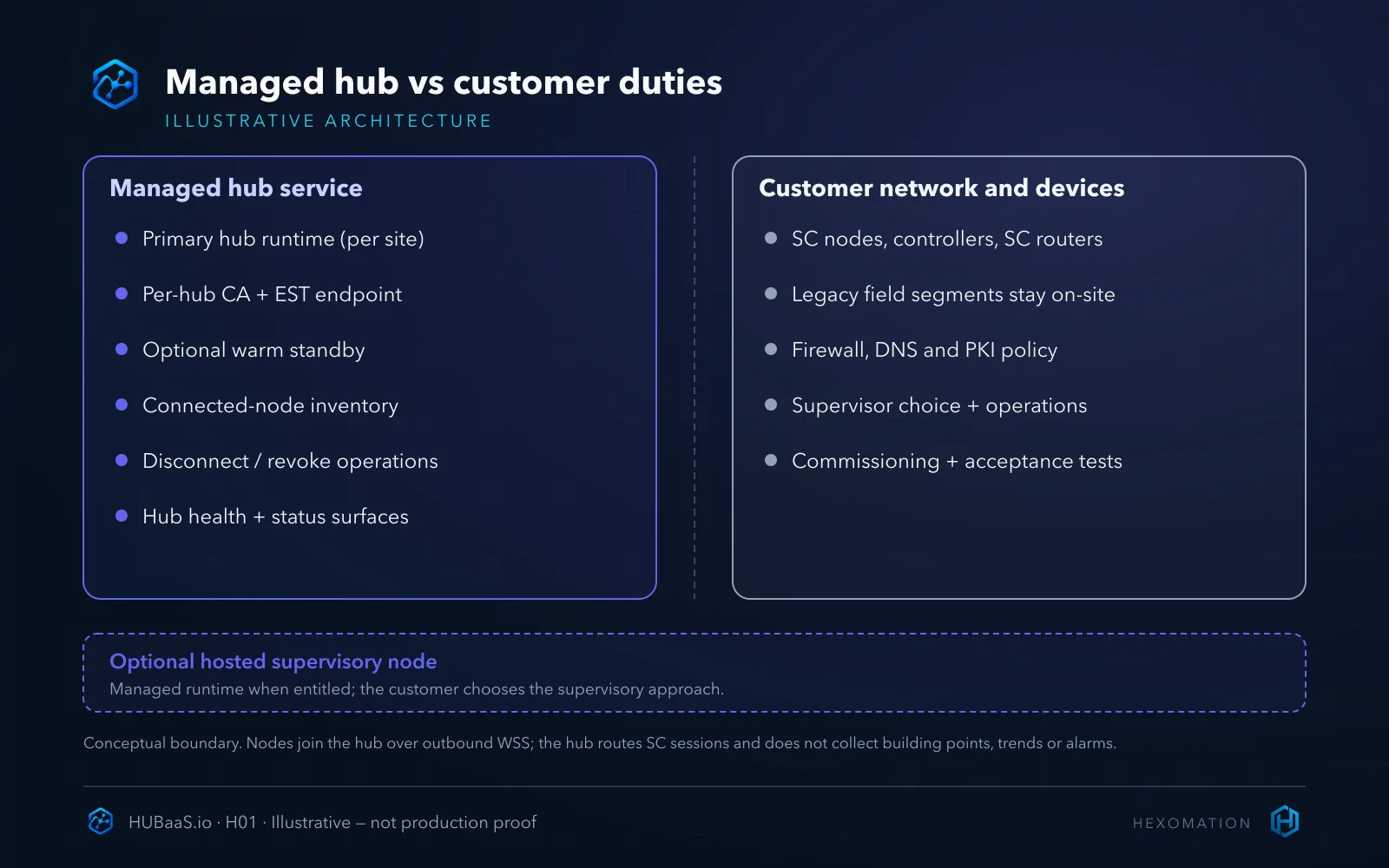
Split responsibilities honestly
The useful comparison is a responsibility table, not just a feature list. The service operates the managed hub runtime; customers retain ownership of field devices and networks and choose whether supervision is customer-operated or provided by an entitled hosted node.
| Managed hub service | Still your responsibility |
|---|---|
| Primary hub runtime per site | SC nodes, controllers, and SC-capable routers |
| Per-hub CA and EST enrollment endpoint | Legacy BACnet/IP and MS/TP segments on-site |
| Optional warm standby (entitled) | Firewall, DNS, proxy, and corporate PKI policy |
| Connected-node inventory and disconnect/revoke controls | Client failover configuration and enrollment timing |
| Hub health and status visibility | Supervisor choice, building data, acceptance testing |
Framed as a workload question, the managed column absorbs hub patching, endpoint TLS lifecycle, capacity placement, and the enrollment-service operations that sit behind every SC join. The customer column keeps everything that touches your buildings and your trust policy — the parts where judgment, not uptime, is the scarce resource.
Where a self-hosted hub still wins: policies that demand complete PKI and runtime custody, or environments that cannot accept a cloud dependency at all. Retaining your own hub appliance or an existing SC-capable supervisor is often the correct answer — the managed model earns its place by removing work, not by being universally superior.
Supervision is a separate decision
Because the hub itself collects nothing, each site still faces a supervisory choice — including the legitimate option of running hub-only with no managed monitoring at all. If your plan includes the optional hosted supervisory node, the service can run it for you: it joins the hub as a supervised endpoint and exposes discovery, monitoring, trends, alarms, schedules, and notifications for the site’s SC-connected devices. If you already run a supervisor — or use a BAaaS gateway as the SC node under its own separate tenant — that existing control stays the preferred tool; the hub does not force a migration.
Tenancy is also deliberately simple: the two products are separate subscriptions with separate site models, and a shared user can work across tenants without the products merging into one.
That separation carries an operational consequence worth stating plainly: an SC connection grants network reachability, not application permission. A node that can join the hub still needs its supervisory side — hosted or customer-run — to turn raw connectivity into monitored points, trends, and alarms.
A hypothetical migration pilot
Hypothetical example — not an observed deployment. An integrator maintains a self-hosted hub VM for one customer’s SC sites. For the next site, they provision a managed hub in the console, wait for the reported state to reach active, record the actual provisioned endpoints, and join a lab SC node as the acceptance check — before migrating any production node or touching the standby entitlement. Success means the test node is visibly connected on the new hub; the old VM is only retired after a documented cutover.
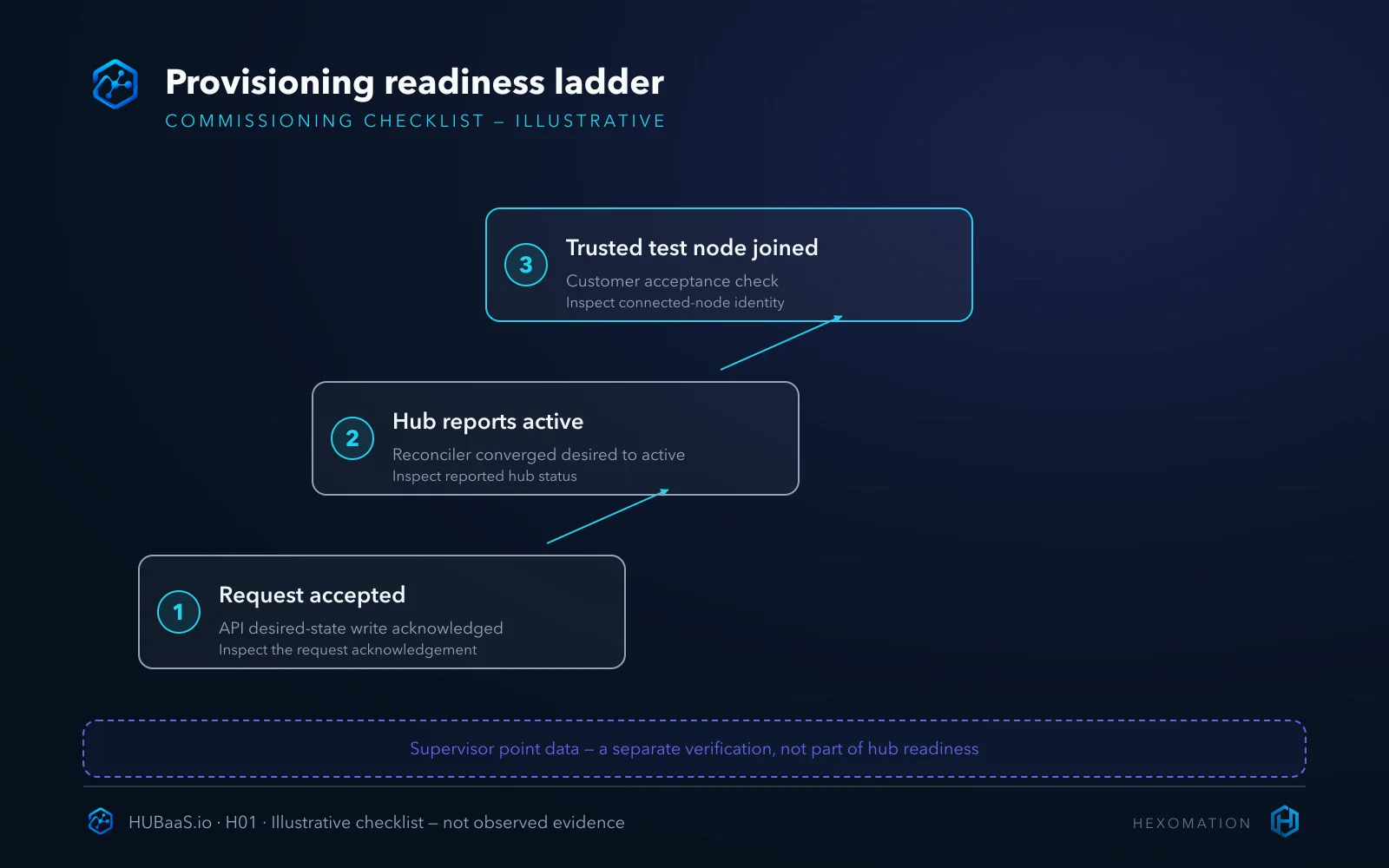
Where this fits in HUBaaS
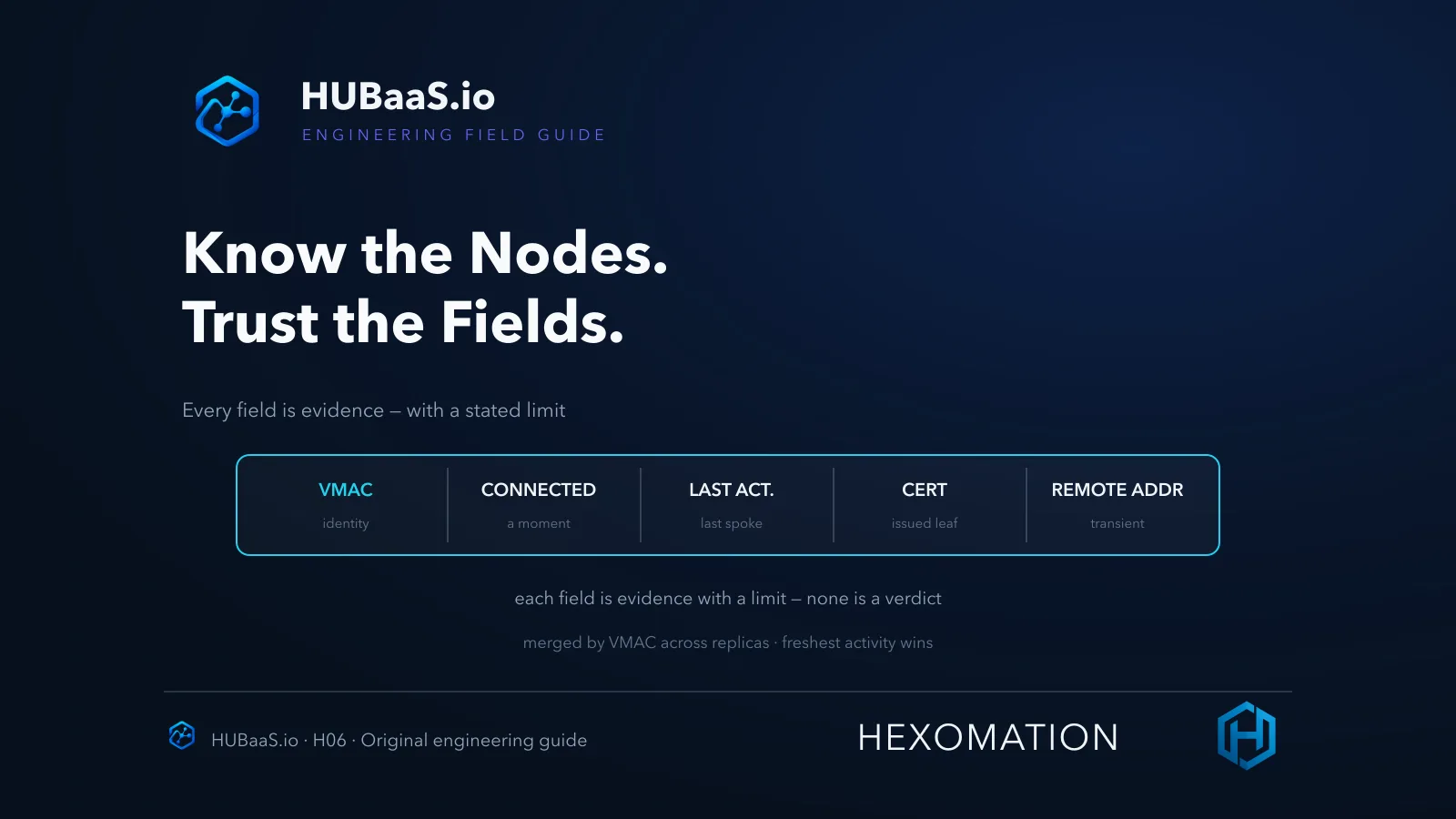
The managed primary hub is the anchor the rest of HUBaaS hangs on: per-hub certificate authority and timed EST enrollment windows, connected-node identity inventory with certificate-expiry visibility, one-shot disconnect versus CRL revocation, enrollment-credential rotation, and hub health surfaces all operate on the hub you provisioned.
Resilience and tenancy layer on top — an optional warm standby, enterprise CA trust anchors where your PKI must remain the issuer, and multi-site lifecycle management inside tenant boundaries. Platform-wide role-based access and MFA, audit logging, plan and billing surfaces with invoice visibility, and settings, support, and developer/API surfaces apply per the tenant’s plan.
Conditional families — the hosted supervisory node, equipment groups and AI-assisted operations where exposed, and standards-based interoperability with third-party SC nodes commissioned by acceptance testing — depend on entitlement and release rather than being defaults on every site. Confirm the current plan and release prerequisites before enabling these capabilities.
Limits and what this does not cover
This guide stops at provisioning and responsibility. It does not teach EST enrollment mechanics, enrollment-window operations, revocation drills, standby failover testing, or hosted-node supervision — each is a separate workflow with its own verification. Nor does it claim fixed provisioning times, zero on-site hardware, or monitoring from the hub alone; the acceptance check — a real test node visibly joined — is what closes the loop.
Provision one site, verify one node
The honest summary: the managed service runs hub infrastructure so you do not; you still own the devices, the network, the PKI decisions, and the proof that a node actually connected. Provision one site, read the active state — not the acceptance response — and verify with a trusted test node before trusting the architecture.
Assess whether a managed hub fits your sites and review the capability overview at HUBaaS.io. Follow-on guides cover outbound connectivity, EST enrollment, and enrollment windows in detail.